Links in MemoWiki documents are written using square brackets as
markup. The most common are links to other MemoWiki pages.
General format
[ name | content | options ]
All except name are optional. The three parts between the bars
are as follows.
- name: the name of a page which will be viewed if this
link is clicked. In principle, any characters are allowed in page
names; however, some characters (], |, @, #, *, /) are reserved
in the above notation, so are best avoided.
- content: (optional) text that will appear on the page
for this link. All MemoWiki substitution (inline) shorthands may
be used. If content is not given then the name is generally
used as the content.
- options: optional plain-text keywords and parameters.
These include the general option new (open in a new window) and
are also used for images, embedded text files, etc., as described
below. Keywords in options are not case-sensitive.
Vertical bars need only be used when there is
content and/or
options.
Examples:
[Sample page]
[Markup|general markup]
[cowlis2003]
[cowlis2003-DFP-algorism.pdf]
[/cognition/Biological background]
[canyon.jpg | Grand Canyon | image right]
[subdir/an-image.jpg]
[speleo.rex||text code]
[*||gps N43:14:10 W4:43:22 a1277]
HTML and relative links
For compatibility with other Wikis, if a name does not refer
to an existing page, reference, or file, and if the first word of
the name contains a ‘:’ or a ‘/’, then the first word is assumed
to be an HTML reference and is linked accordingly. Any remaining
words in the name then form the content (or are prefixed
to the content if there is a | present).
Examples:
[http://www.speleogroup.org]
[http://www.speleogroup.org Speleogroup’s home page]
These appear on the page as www.speleogroup.org » and Speleogroup’s home page ».
A relative URL can similarly be used to refer to pages explicitly
in the same or other MemoWiki topics, for example, [/MemoWiki/Markup].
Within-page links
A position within a page can be identified using a
mark link,
in which the name starts with ‘@’, for example:
[@tables | tables list]
This generates an HTML anchor with the name ‘tables’, which
can be referred to by a local reference link of the same form
but with the name beginning with ‘#’, for example:
[#tables | see tables list]
If content is not given, then the name (without the ‘@’ or ‘#’)
is used as the content. There may optionally be one or more blanks
after the ‘@’ or ‘#’. The name must not include an ‘@’.
A within-page mark can be referred to from another page simply by
putting the mark name after the page name, separated by a hash (pound)
character, for example: [my page#mark1].
Flagged links
If a name does not refer to an existing page, reference, or file,
and if the first word of the name does not contain a ‘/’
or a ‘:’, then the link is assumed to be a reference to an as-yet
un-edited page in the current topic and is shown with a following
red question-mark (?).
Non-topic MemoWiki links
References to a Wiki page, Reference, or Data item in another topic
on the same server can be made using a name of the form /topic/page,
where the page is optional and both topic and page may include
any characters except ‘/’. A ‘/’ alone links to the Topics
list page.
For complete control, a name of the form //string may be
used to send any selector to the current server; any topic or page
name must then be safe-encoded. Commands may be suffixed following
a ‘?’. (To see the exact formats of commands, hover over an
action on the more... page).
Wikipedia links
Simple links to Wikipedia articles may be made directly using the
same double-bracket notation as in Wikipedia but with an additional
options part: [[link | content | options]].
(This notational support also allows the Wiki2HTML program to be
used for rendering simple Wikipedia articles off-line.) options
are currently ignored on Wikipedia links, which always open in a
new tab or window.
General options
The
options string for any link may contain the following option
words, which override any default or topic setting:
| new
| opens the page in a new tab or window (depending on your browser and browser settings)
|
|---|
| same
| opens the page in the same tab or window (depending on your browser and browser settings); if both new and same are given the rightmost ‘wins’
|
| flag
| causes the link to be followed by a remote marker flag (“»”)
|
| noflag
| causes the link to be shown without a remote marker flag; if both flag and noflag are given the rightmost ‘wins’
|
Images
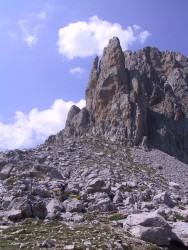
Minas Crags
Image files can be included on a page
by indicating that a
name (which must be a file in the
files
directory or a fully-specified URL) is an image. To do this, the
link must have an
options field whose first word is
image,
and the image file is then included in the rendered page with
content
being used as a caption.
Additional options may be added as follows (note that the ‘360’ option
precludes any others):
| right
| float the the image to the right of the page (default)
|
|---|
| left
| float the the image to the left of the page
|
centre
center
| centre the image on the page
|
| inline
| place the image inline with the text (usually only used for special glyphs)
|
| width=n
| set the width of the image to n pixels (default 200)
|
| height=n
| set the height of the image to n pixels (the default is to preserve aspect ratio for given or default width)
|
| link=URL
| target when the image is clicked (default is the image itself); URL must be fully qualified (and need not be an image).
|
| file name
| target when the image is clicked (default is the image itself); name is the remainder of the options string and must be the
name of a file in the files directory (which need not be an image).
|
| nocaption
| do not add a caption, even if content is given; the content will be used only for the ‘alt’ text and pop-up title.
|
| noedge
| do not add the grey edging (frame); a caption is still allowed
|
| nolink
| do not make the image an active link (the default is to allow the image to be opened in a new window at its original size)
|
| 360
| The image is a large 360° panorama, which may be [hemi-]spherical. Instead of being displayed on the page a placeholder ([360°]) is shown; clicking on this will open the 360° image so it can then be saved. No other options are permitted; any caption is ignored.
|
Conflicts are resolved as ‘last option wins’.
The image above and to the right was included using the markup:
[http://www.speleogroup.org/files/MinasCrags.jpg|Minas Crags|image right width=188 height=250]
Videos
Video files can be included on a page by indicating that a
name
(which must be a file in the
files directory or a fully-specified
URL) is a video. To do this, the link must have an
options field
whose first word is
video, and the video file is then included
in the rendered page with
content being used as a caption.
Video files must have extension .mp4.
Additional options may be added as follows:
| right
| float the the video player to the right of the page (default)
|
|---|
| left
| float the the video player to the left of the page
|
centre
center
| centre the video player on the page
|
| width=n
| set the width of the video player to n pixels (default 300)
|
| height=n
| set the height of the video player to n pixels (the default is to preserve aspect ratio for given or default width)
|
| link=URL
| target when the video player is clicked (default is the video itself); URL must be fully qualified (and need not be a video).
|
| poster name
| the still image shown before the video is played (the default is chosen by the video player and is browser-dependent); name is the remainder of the options string and must be the name of an image file in the files directory.
|
| nocaption
| do not add a caption, even if content is given; the content will be used only for the ‘alt’ text and pop-up title.
|
| noedge
| do not add the grey edging (frame); a caption is still allowed
|
| nolink
| do not make the video an active link (the default is to allow the video to be opened in a new window at its original size)
|
Conflicts are resolved as ‘last option wins’.
The video above and to the right was included using the markup:
[http://www.speleogroup.org/files/2017/Suarias-sheep-clip.mp4| Suarias sheep
| video right width=300 height=169]
Geographic locations (GPS links)
A link to a geographic location using GPS coordinates is made by
using a placeholder (‘*’) as the name and then specifying an options
field whose first word is gps. By default all GPS coordinate
links in a given topic are assumed to use a common GPS datum (WGS84);
this may be changed using the Change Topic settings page. Each GPS link can also specify its datum (WGS84,
EUR50, or EUR79) explicitly.
The GPS link options are:
| coordinate
| A GPS coordinate starting with one of the letters ‘N’, ‘S’, ‘E’, or ‘W’ followed by up to two digits of degrees then optionally a colon and one or two digits of minutes and then optionally a colon and one or two digits of seconds and finally an optional period and fractional seconds. For example: N43:14:10.6
Alternatively the coordinates may be given as a pair of decimal degrees
words (no comma), latitude first (negative indicating South or West).
For example: [*||gps show 52.1375 -1.7525]
shows as N52°08'15" W1°45'09".
|
| wgs84
| An optional keyword that indicates that the coordinates are in the WGS84 datum; this overrides the default for the topic.
|
| eur50
| An optional keyword that indicates that the coordinates are in the EUR50 datum; this overrides the default for the topic.
|
| eur79
| An optional keyword that indicates that the coordinates are in the EUR79 datum; this overrides the default for the topic.
|
| height
| The letter ‘A’ followed by a decimal height in meters (optional)
|
| show
| An optional keyword that indicates that (if no content is given) the content will include the GPS coordinates given (for example, N43°14'10" W4°43'22", converted to WGS84 if necessary).
|
| utm
| An optional keyword that indicates that (if no content is given) the content will include the UTM coordinates calculated from the GPS coordinates (for example, 30T 360.12 4788.48).
|
| break
| An optional keyword; if present then a break (<br>) is added after the coordinates generated by show and/or utm.
|
| deg
| An optional keyword which may follow a decimal coordinate and is ignored.
|
Two GPS coordinates must always be given, one starting with N
or S and the other with E or W, or as a pair of decimal degrees.
If no content is given and neither show nor utm is specified
then a pushpin symbol, ‘📌’, is
used as the content. For example, [*||gps N43:14:10 W4:43:22
a1277] appears as: 📌. If
both show and utm are used, the parts will appear in the
same order as the keywords.
Embedded text files
The content of text files can be included within a page by indicating
that a name (which must be a file in the files directory)
is to be embedded as text. To do this, the link must have an options
field whose first word is text. Additional option keywords may
be added as follows:
| asis
| include the text as-is, without rendering MemoWiki markup (the default is to treat the embedded file as though it were part of the originial .wiki page)
|
| code
| treat the text as program code, displayed in a box (implies asis); for example, [tryme.rex||text code] shows:
/* A very simple Rexx program */
numeric digits 250
say 1/7
|
Notes:
- When neither option is specified all MemoWiki (and HTML) markup
is allowed, including structural markup.
- Any content field, or the option new, is ignored.
Data items (MemoTrove files)
Data items can be linked as a simple MemoWiki link (for example:
[red], which would display as red) which allows them to be
viewed and edited. To use the data from an item in a page, the item
must be loaded. To do this, the link must have an options
field whose first word is mtr. Additional option keywords may
be added as follows:
| name=nickname
| use nickname to refer to the loaded data in entities (the default is to use the MemoWiki safe name of the data item)
|
| hide
| hide the link (this is used to load data without a reference to the source data item appearing on the page)
|
For example,
[Long Marston airfield||mtr name=LM].
Once loaded, the values from the data item can be referenced using
entities (for example: &red:r; or &LM:icao;).
Entities can be used in the text of pages and also in the content
or options parts of links.